Blocking Apps on iOS: Screen Time API vs Shortcuts
I built the same feature both ways. Here's what each one actually costs.
I'm not an engineer. I built an iOS app over seven months with AI writing most of the code, and the whole thing depends on blocking apps until you've done something in the real world.
I built that blocking twice. First with Shortcuts, because I didn't know the real API existed. Then on Apple's Screen Time API, once I found out. If you're building anything in this space, you'll stand at the same fork, so here's the honest comparison from someone who shipped both.
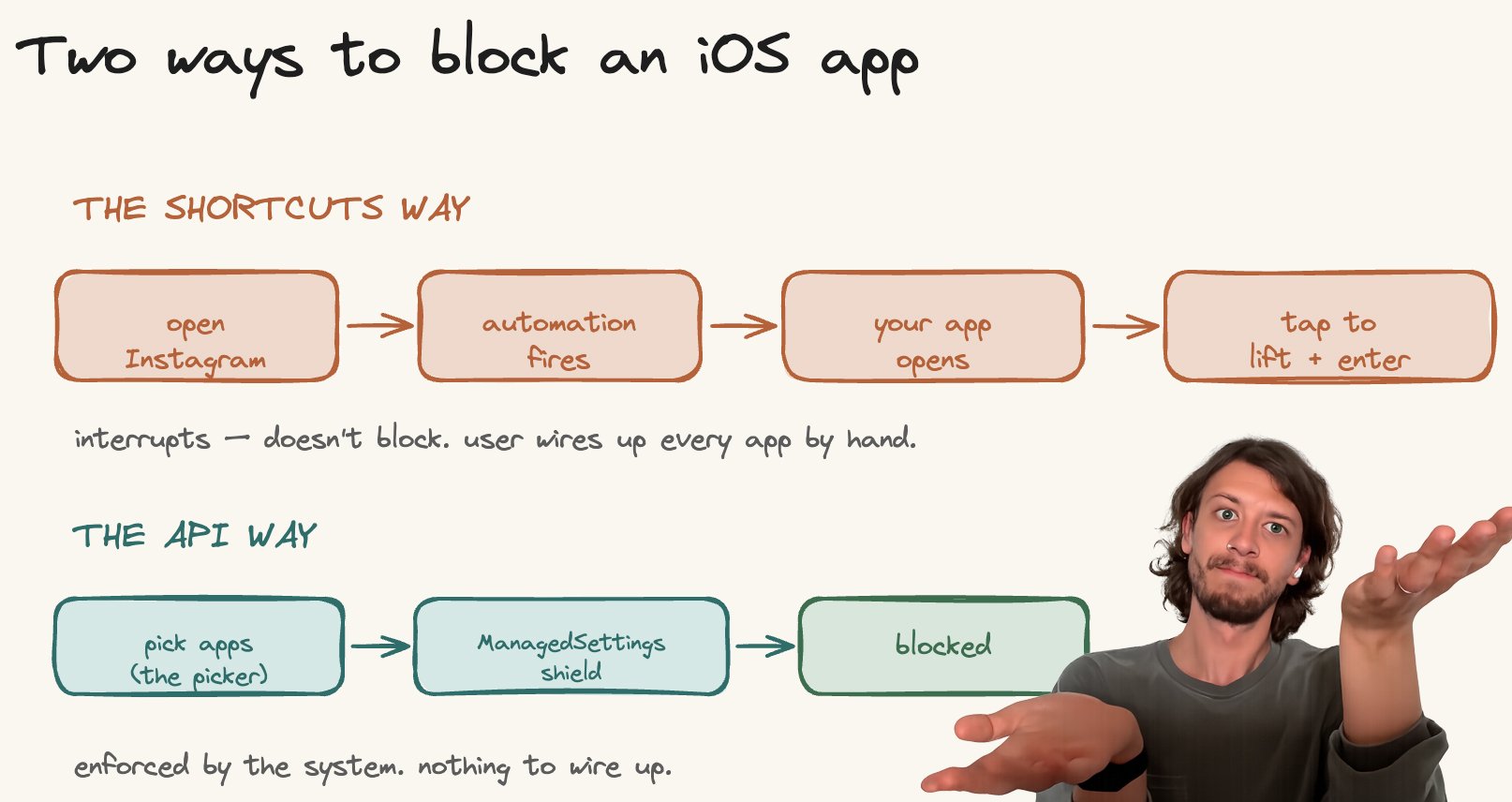
The Shortcuts way
iOS Shortcuts can run an automation when you open an app. So: the user sets up "when I open Instagram, open my app." They tap Instagram, my app opens instead, and shows a screen. They either sit with it or tap a button to continue into Instagram.
This is a real, shipped pattern. one sec, one of the best-known apps in the category, works on exactly this principle.
What's good about it
No entitlement. No Apple review of the mechanism. Nothing to wait for.
You can build and ship it in days.
It works on any app the user is willing to set up.
For a pause-and-breathe product, the interruption is the feature.
What's not
It interrupts, it doesn't block. There's no system enforcement – the user can always tap through, and can delete the automation whenever they like.
The user wires up every app by hand, inside the Shortcuts app. That's a brutal onboarding step, and every step is people you lose.
No schedules, no usage limits, no app categories. You get "on open," and that's it.
It leans on Shortcuts behaving consistently, which isn't something you control.
Short version: it's the fastest way to a working product, and it caps out exactly where a serious blocker needs to begin.
The Screen Time API way
Three frameworks. FamilyControls asks permission and gives you a picker. ManagedSettings does the blocking. DeviceActivity is the clock – schedules, usage limits, and an extension that wakes on them.
// ask
try await AuthorizationCenter.shared.requestAuthorization(for: .individual)

// let the user pick apps
.familyActivityPicker(isPresented: $showPicker, selection: $selection)

// block them
let store = ManagedSettingsStore(named: .init("main"))
store.shield.applications = selection.applicationTokens

// run it on a schedule
let schedule = DeviceActivitySchedule(
    intervalStart: DateComponents(hour: 0, minute: 0),
    intervalEnd:   DateComponents(hour: 23, minute: 59),
    repeats: true
)
try DeviceActivityCenter().startMonitoring(.daily, during: schedule)
Twenty lines and the system enforces the block instead of your app politely asking.
What's good about it
Real shields. The OS blocks the app. The user can't casually tap through.
Schedules, usage thresholds, whole categories of apps – things Shortcuts can't touch.
One native picker instead of per-app manual setup. Onboarding is a single sheet.
The privacy model is clean, and enforced by the type system rather than a promise.
What's not
The com.apple.developer.family-controls entitlement is granted by hand, through a form, and you request it separately for every target – main app, monitor, shield config, shield action. Apple's DTS engineer confirms this in the forums, and there's been a review backlog through 2026.
Everything is a separate process under different sandbox rules, which is where most of the pain lives.
The monitor extension has a 6 MB memory ceiling that hasn't moved since iOS 15.
The report extension is sealed – data goes in, nothing comes out, and it's flaky enough to return blank.
App selections come back as opaque tokens. You never learn which apps they are, so no analytics, no "people also block X."
It cost me a month. I applied for the entitlement three weeks before release, only for the main app, because that's the only place the docs pointed me. TestFlight was fine. Then the App Store submission wouldn't go through, a few days out, and I found out the extensions each needed their own entitlement. New applications, new queue. Release moved by about a month.
Which one to pick
Pick Shortcuts if you're validating an idea, you want a pause-and-reflect product, you need to ship this month, and soft enforcement is enough. It's a genuinely good day-two product.
Pick the Screen Time API if you need blocking the user can't shrug off, you want schedules and limits, and you can absorb the entitlement wait. It's the only way to build something the OS actually stands behind.
I started on Shortcuts and moved to the API. I don't regret either half. The Shortcuts version taught me what the product needed to be before I committed to the harder path – and it was running while I waited out Apple's queue.
A note on building either one with AI
I built this with AI writing most of the code, so one warning.
The Shortcuts version, an AI handles well – it's ordinary app code. The Screen Time API, it does not. The API is thin in training data, and most of what exists is from the iOS 15–16 era, so the model confidently invents things that don't exist: reading an app's name from an opaque token, pulling data out of the sealed report extension. The code compiles, runs, and silently does nothing.
So hand it the constraints up front, in a rules file loaded every session:
# Screen Time API — hard rules
- ApplicationToken is opaque. Only `Label(token)`. Never resolve a name or bundle ID.
- DeviceActivityReport extension: no network, no App Group. Data goes in only.
- DeviceActivityMonitor extension: 6 MB. Write one flag, return. No parsing, no networking.
- App and extension do NOT share ManagedSettingsStore state. Shields change in one process only.
- Every target needs the family-controls entitlement separately.
Then test on a real device. The simulator doesn't compute usage properly, so it'll cheerfully confirm code that fails on a phone.
The human writes the walls, the machine builds inside them. On this API that's not a preference – every one of those rules is invisible at compile time.
I built Nowhere on this stack. Happy to compare scars.
